Mail settings and the test email
Set the sender and the SMTP server, then send a test email.
Superusers who set up outgoing email.
Password resets, verification emails and sign-in codes all use this page. Without working mail, people cannot recover accounts.
What you will do, in one sentence
Fill in the sender, switch on the SMTP server, save, and send a test email.
Screens are captured from a seeded test system. Every name, address and number on the screens is invented. Prepared 15 November 2026.
1. The sender
Open Settings, then Mail settings. The page says it configures the common settings for sending email.
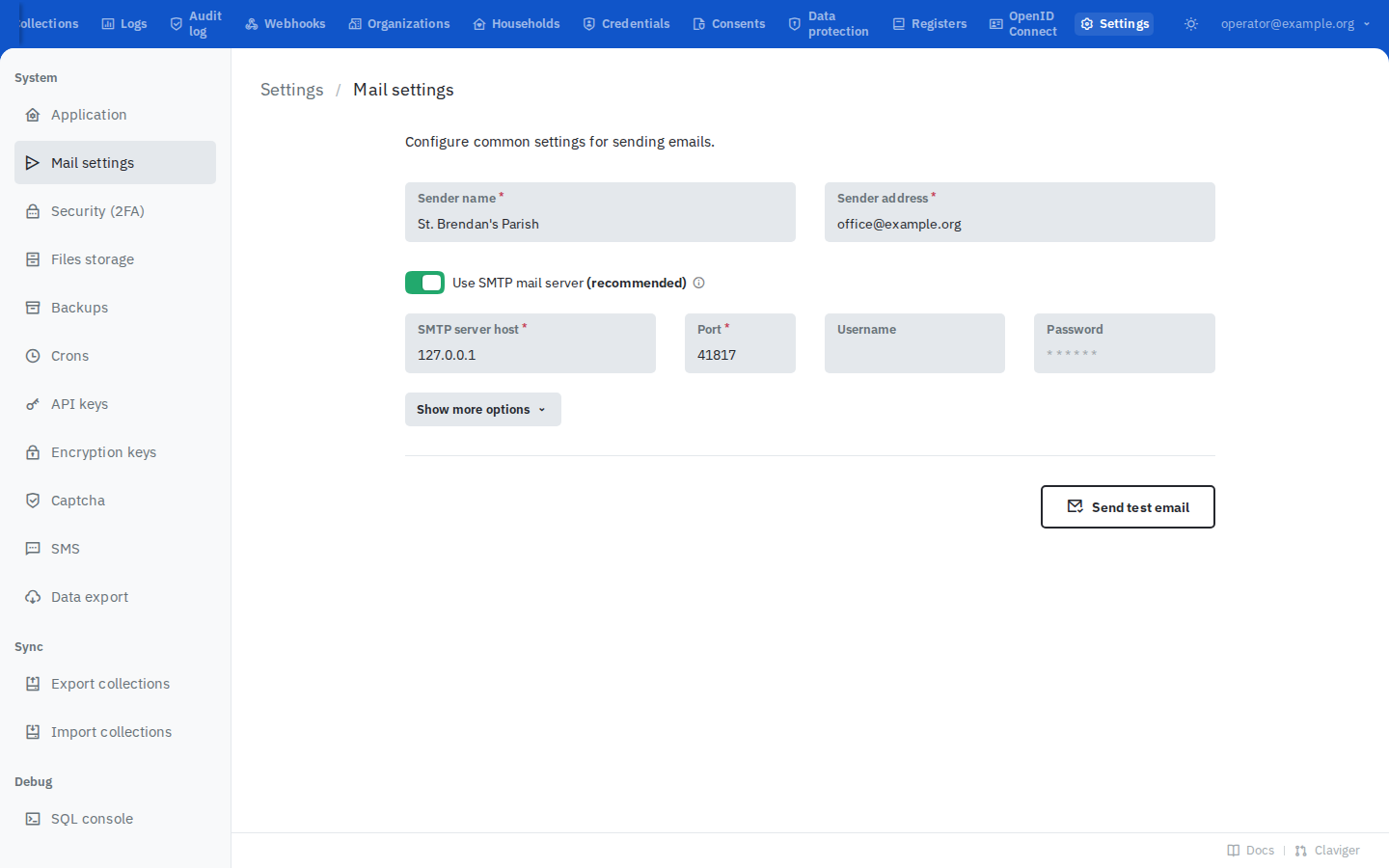
- Type the Sender name.
- Type the Sender address. Use an address on a domain you control.
2. The SMTP server
By default Claviger uses the sendmail command on the server. The page recommends an SMTP server for better delivery.
- Switch on Use SMTP mail server.
- Fill in SMTP server host and Port.
- Fill in Username and Password. A saved password is not shown again.
- Choose Show more options to reach three more fields.
| Field | Choices |
|---|---|
| TLS encryption | Auto (StartTLS) or Always. |
| AUTH method | PLAIN (default) or LOGIN. |
| EHLO/HELO domain | Empty means localhost. Some servers, such as the Gmail SMTP relay, reject localhost. Set your domain. |
Choose Save changes. A toast says Successfully saved mail settings.
3. Send a test email
Choose Send test email. A window opens.
- Pick the Auth collection whose template you want to test.
- Pick a template: Verification, Password reset, Confirm email change, OTP or Login alert.
- Type the To email address, for example
[email protected]. - Choose Send.
A toast says Successfully sent test email. If it times out, check the host, port and TLS choice.
A test that arrives proves the connection. It does not prove delivery to every inbox. Ask your mail provider about SPF and DKIM for the sender domain.
4. Where the templates live
The wording of each email belongs to the auth collection, not to this page. Edit it in the collection editor, on the Options tab.
5. Quick reference card
Set up
- Mail settings.
- Sender name, Sender address.
- Use SMTP mail server, then host, port, username, password.
- Save changes.
Test
- Send test email.
- Pick the collection and template.
- Enter an address and choose Send.
The SMTP password is write-only. Leave it empty to keep the saved one.