Manage members, roles and tags
Add people to an organization, change their role or status, and give them tags.
Superusers who run a Claviger install. Org owners and admins do the same work on the hosted org page.
Roles and tags decide who sees households, credentials, registers and consent records. A wrong role gives access that nobody meant to give.
What you will do, in one sentence
Select an organization, then use Add member and the Edit and Remove icons in the Members table.
Screens are captured from a seeded test system. Every name, address and number on the screens is invented. Prepared 15 November 2026.
1. The members table
Select an organization in the list. The table Members of that organization appears below. It has the columns Member, Role, Status, Tags and Source.
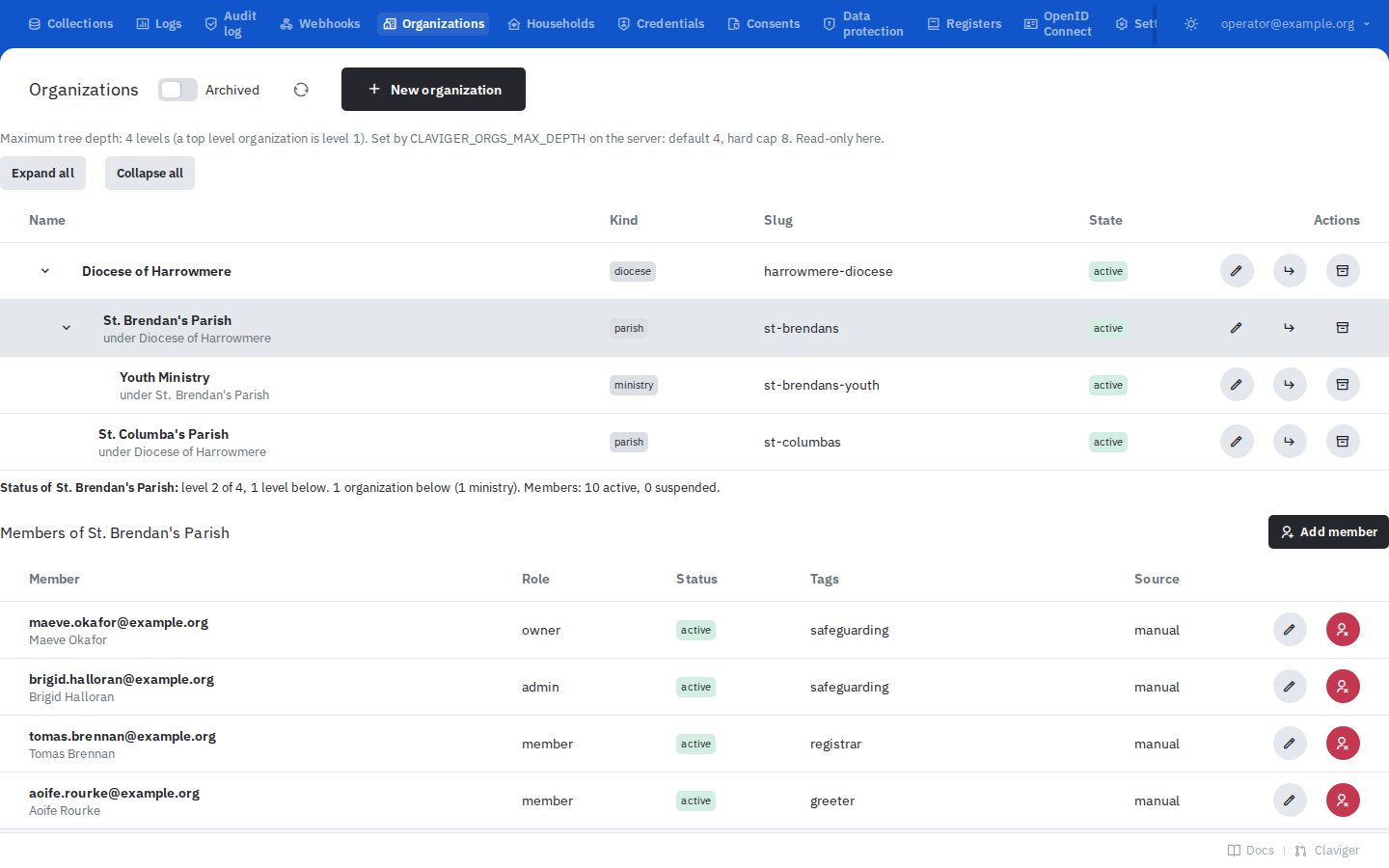
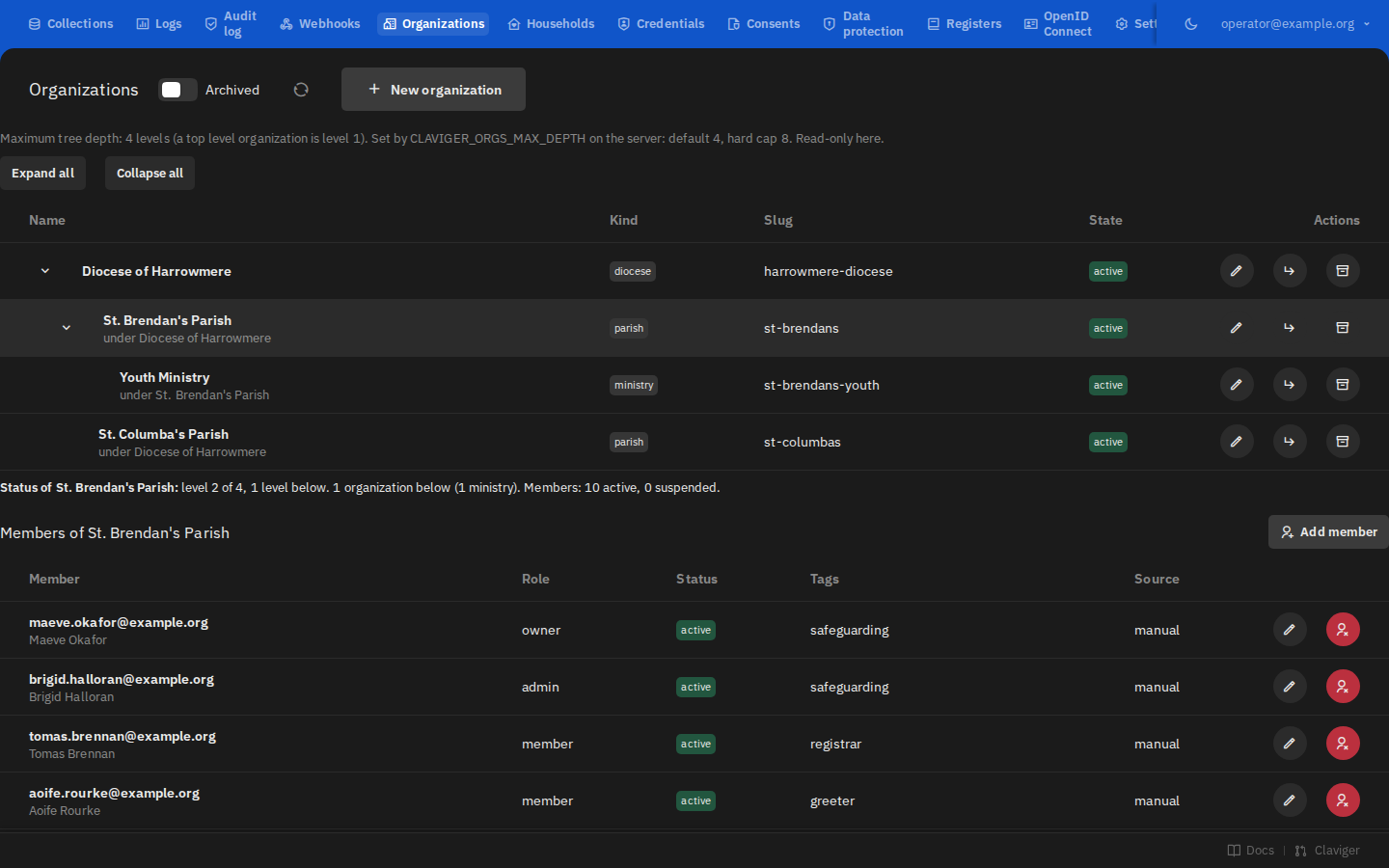
The Source column says how the person joined, for example by invitation or by SCIM.
2. Add a member
The person must already have an account.
- Press Add member.
- In User (email or id), enter the email address or the user id.
- Choose a Role:
admin,memberorviewer. - In Tags (comma separated), enter free labels such as
youth leader. - Press Add.
To make someone an owner, add them, then press Edit and set Role to owner.
3. Change or remove a member
- Press Edit in the member's row.
- Change Role, Status (
activeorsuspended) or Tags (comma separated). Save. - Press Remove to take the person out of the organization. Confirm.
A suspended member loses all access that goes through the rules, at once. Removing someone from one organization does not sign them out of Claviger. Sessions belong to the person, not to the organization.
The last active owner cannot be removed, demoted or suspended, even by a superuser. Make someone else an owner first. Nobody grants a role above their own. These guards also hold for superusers working in this screen.
4. Tags that unlock features
A tag is a label that belongs to one organization. A tag of another organization grants nothing. Some tag names have a meaning in Claviger.
| Tag | What it allows in that organization |
|---|---|
registrar | Staff work on households, transfers and consent records. Finalizing and annotating register entries. |
greeter | Issuing staff-vouched recovery codes. |
safeguarding | Acting as a credential coordinator. |
Owners and admins already count as staff, coordinators and recovery staff. A viewer never counts, whatever tags the person carries. A superuser cannot sign or annotate register entries.
Check who holds greeter and safeguarding from time to time. These tags let a person vouch for someone else or approve a credential.
5. Quick reference card
Add a member
- Select the organization.
- Add member, then enter User (email or id), Role and Tags.
- Press Add.
Suspend or promote
- Press Edit in the row.
- Change Status or Role. Save.
Roles are owner, admin, member and viewer. The last active owner is always protected.