Set the field encryption key and rotate keys
Give the server a key-encryption key, add an encrypted field, and rotate the data keys and the key-encryption key.
Developers and self-hosters who run a Claviger server and can set its environment variables.
The key-encryption key is the only way to read encrypted values. If you lose it, the data is gone and Claviger cannot recover it. A wrong key stops the server from starting.
What you will do, in one sentence
Generate a 32-byte key, store a copy away from the server, set CLAVIGER_KEK, and rotate with CLAVIGER_KEK_OLD and a re-wrap.
Screens are captured from a seeded test system. Every name, address and number on the screens is invented. Prepared 15 November 2026.
1. What field encryption does
Claviger has two field types: Encrypted text (encryptedText) and Encrypted JSON (encryptedJSON). Their values are stored encrypted in data.db. That covers backups and Litestream replicas too.
Above the database the values are plain text. The records API, hooks, realtime and the admin UI all return plaintext to anyone allowed to read the field. Use the field's Hidden option or a collection rule to limit who sees it.
Two keys are involved:
| Key | What it is |
|---|---|
| Key-encryption key (KEK) | One key you give the server. It wraps the data keys. |
| Data key (DEK) | One random key per encrypted field. It seals the values. Wrapped copies live in the _fieldKeys system collection. |
With no encrypted fields, no key is needed and nothing changes.
The KEK is the only way to read the encrypted values. Keep a copy somewhere that is not the server and not the backup storage, such as a password manager or a sealed envelope held by two people. Test a restore together with the key before you rely on it.
2. Set the key
-
Generate a key and keep it away from the database and its backups:
openssl rand -base64 32 -
Give it to the server. The first match wins:
Setting Meaning CLAVIGER_KEKThe key itself: base64 of exactly 32 bytes. Preferred. CLAVIGER_KEK_FILEPath of a file with the same base64 text. The file must not be readable by group or others ( chmod 600). Do not set it together withCLAVIGER_KEK.CLAVIGER_KEK_AZURE_KEY_ID,CLAVIGER_KEK_AWS_KEY_ID,CLAVIGER_KEK_GCP_KEY_IDA key in a cloud key service. See the cloud key sources guide. PB_ENCRYPTION_KEYFallback. Claviger derives the KEK from it. One secret then guards the settings and the fields, so rotating it means rotating both. -
Add the field in the collection editor (type Encrypted text or Encrypted JSON), or through the API with
"type": "encryptedText"or"type": "encryptedJSON".
Saving a collection that has an encrypted field, with no key set, fails with an error that names the variables.
Encrypted fields cannot be filtered, sorted, indexed or used in API rules. The server rejects each of these. To find a record by phone number, store a separate, non-secret lookup value in a plain field.
3. Check the key before a deploy
claviger keys check --dir=/pb_data
Exit 0 means the keys open, or there are no encrypted fields. Exit 1 with a line that starts keys check: FAILED means a field exists and the key is missing, malformed or wrong. The command opens data.db read-only. It is safe to run while the server owns the directory.
If a key is wrong at start-up, the server refuses to start and names the field and the key ids. It never writes unencrypted data. entrypoint.sh runs this check before a handover. Set PB_KEYS_PREFLIGHT=0 to turn that off.
4. Rotate keys
There are two rotations. Both are safe on a live system. Superusers start them in the admin UI under Settings, Encryption keys, or with the API. An API key is refused, even one scoped *.
| Rotation | What changes | Cost |
|---|---|---|
| Data key | A new key for the field. Every row is re-encrypted. | Grows with the data. |
| Key-encryption key | Every data key is re-wrapped under the new KEK. Rows are not touched. | Seconds. |
The page has the buttons Rotate, Rotate all, Re-wrap under the new KEK, Prune old keys and Encrypt legacy values. A Strict toggle forbids unencrypted values on a field.
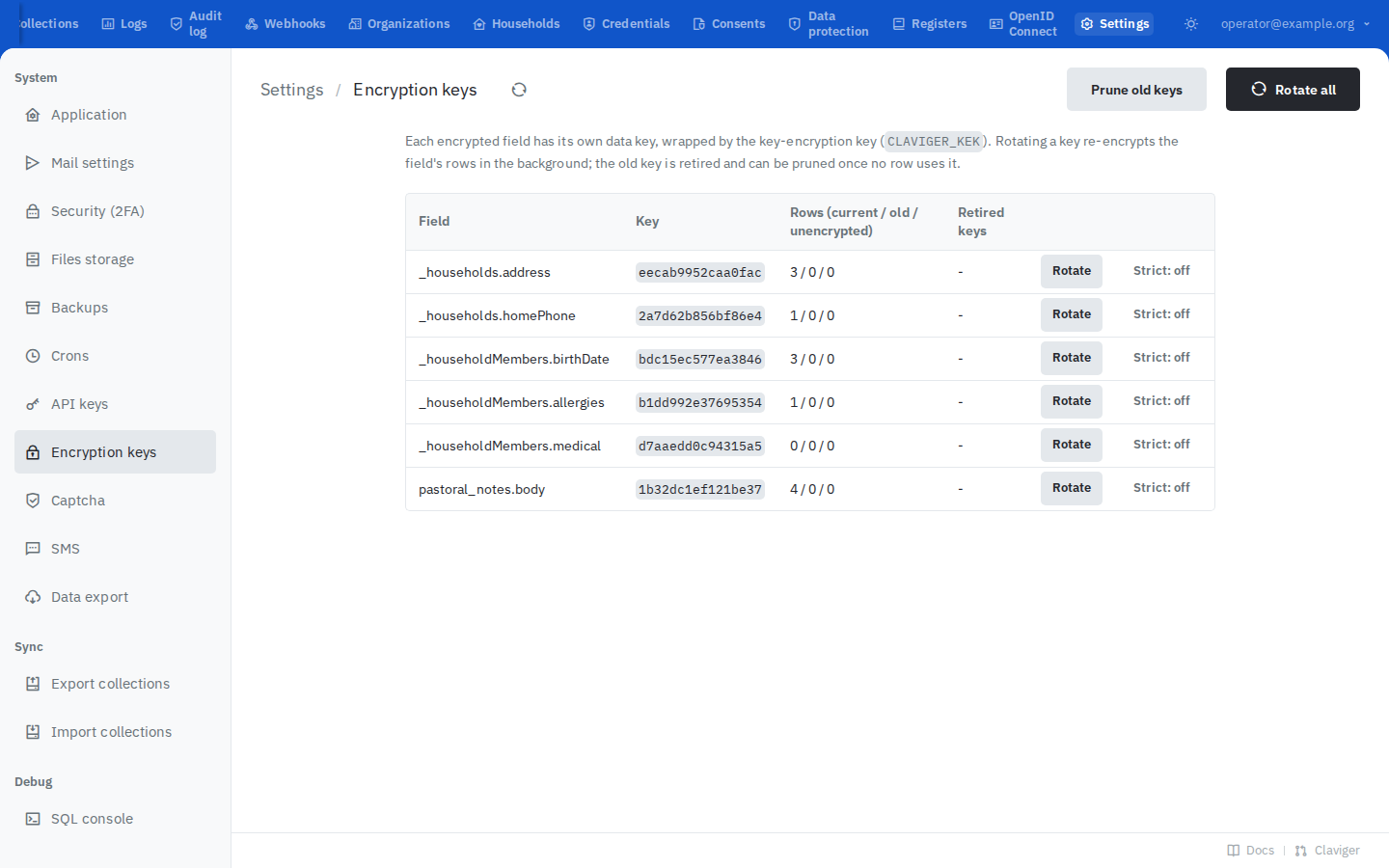
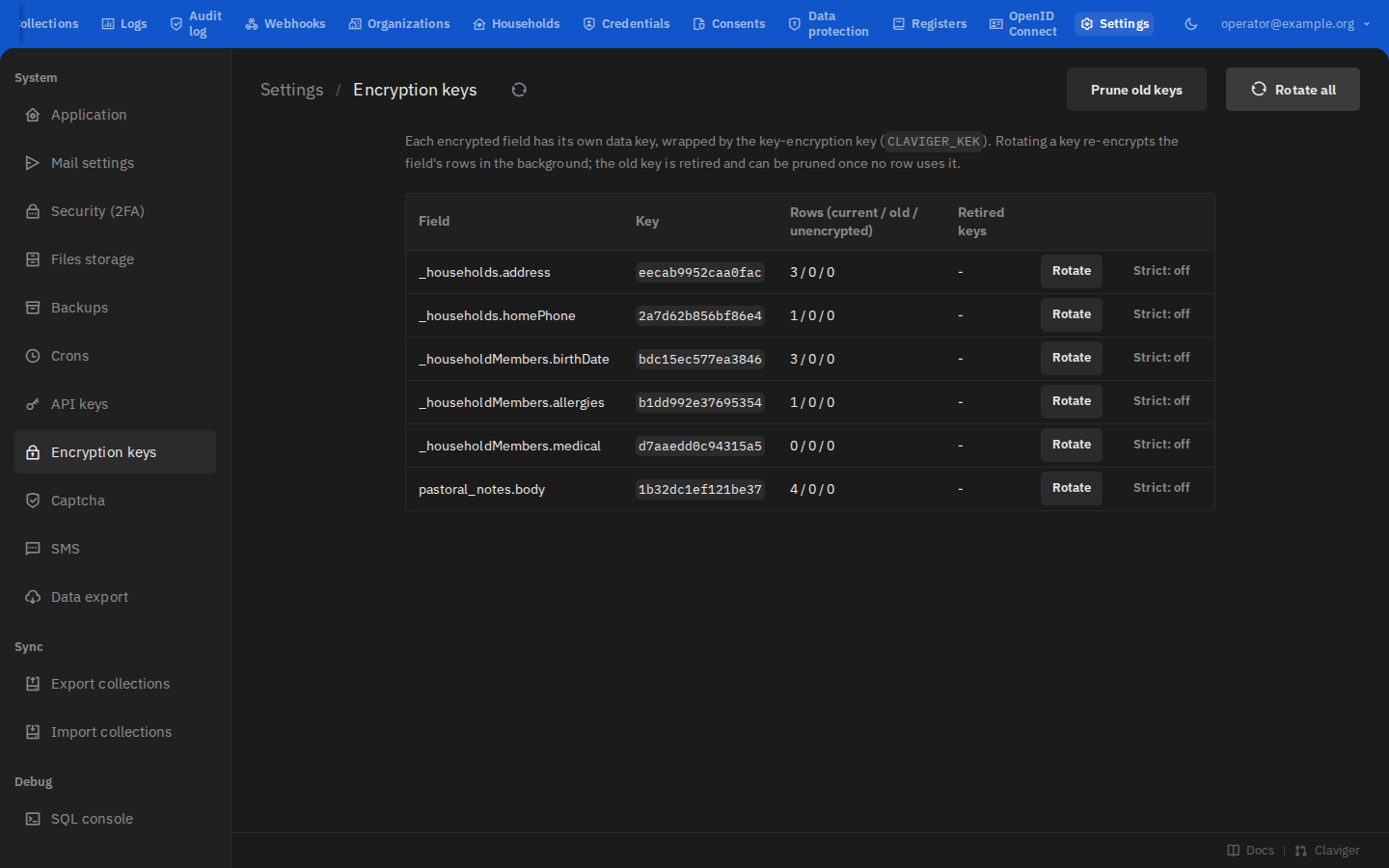
Rotate a data key
curl -X POST https://auth.example.org/api/field-keys/rotate \
  -H "Authorization: $TOKEN" -H "Content-Type: application/json" \
  -d '{"collection": "people", "field": "phone"}'
The route answers 202 and runs as a background job. One job runs at a time (409 otherwise). If the job stops, start it again: it continues and skips rows already moved. When no row uses the old key, prune it with POST /api/field-keys/prune.
Rotate the key-encryption key
- Generate the new KEK and store it.
- Deploy with the new KEK as the primary and the old one declared. Use
CLAVIGER_KEK_OLD,CLAVIGER_KEK_FILE_OLD, orCLAVIGER_KEK_OLD_FROM_APP_KEY=1when the old KEK came fromPB_ENCRYPTION_KEY. Set only one. - Run Re-wrap under the new KEK, or
POST /api/field-keys/rewrap. - Remove the
*_OLDvariable and redeploy.
Pruning a retired data key is final. Keep a backup from before the prune until you are happy with the rotation. Changing the KEK without these steps makes the data unreadable, and the app will not start.
Re-wrap does not touch backup files. Old encrypted backups need the old key. See the backup encryption guide before you remove the *_OLD variable.
5. Convert an existing field
To encrypt an existing text or json field, change its type and keep the field id. Old values stay readable. Then encrypt them all and turn on strict mode:
claviger keys convert --collection people --field phone
claviger keys strict  --collection people --field phone
The same actions exist as POST /api/field-keys/convert and POST /api/field-keys/strict. Strict mode is refused while unencrypted values exist, so run convert first.
The CLI refuses to run while a server holds the data directory. Use the dashboard or the API for a live server. Do not run the CLI with docker exec in a running replica.
6. Quick reference card
Set the key
openssl rand -base64 32.- Store a copy away from the server and the backups.
- Set
CLAVIGER_KEK. - Run
claviger keys check --dir=/pb_data.
Rotate the key-encryption key
- Set the new key and
CLAVIGER_KEK_OLD. - Re-wrap.
- Remove
CLAVIGER_KEK_OLD.
Rotate a data key
POST /api/field-keys/rotate.- Wait for the job to end.
POST /api/field-keys/prune.
Metadata is not hidden: the length of values, whether a value is empty, and when a row was written.