Set up the SMS sender
Connect Twilio or a webhook gateway so Claviger can send transactional text messages, and send a test.
Superusers and developers who run a Claviger server. You need to sign in to the admin screen at /_/.
SMS is off by default. Features that need to text someone, such as account recovery links, do nothing until a sender is set up. Compliance for text messages is your responsibility.
What you will do, in one sentence
Enable SMS, pick Twilio or a webhook, save, and send a test message.
Screens are captured from a seeded test system. Every name, address and number on the screens is invented. Prepared 15 November 2026.
1. What the sender does
Claviger sends transactional text messages through a small provider interface. Nothing is sent unless a feature asks for it, or a superuser uses the test button. Today the first feature to use it is staff-vouched recovery.
Two providers are built in: Twilio and a Generic webhook. Neither uses a vendor library.
This feature is not a marketing tool. Compliance is the deployment's job and needs review by a lawyer. See the last section.
2. Configure the sender
- Open Settings, then SMS.
- Switch on Enable SMS.
- Choose a Provider: Twilio or Generic webhook.
- Fill in the fields for that provider.
- Optional: set Default region.
- Select Save changes.
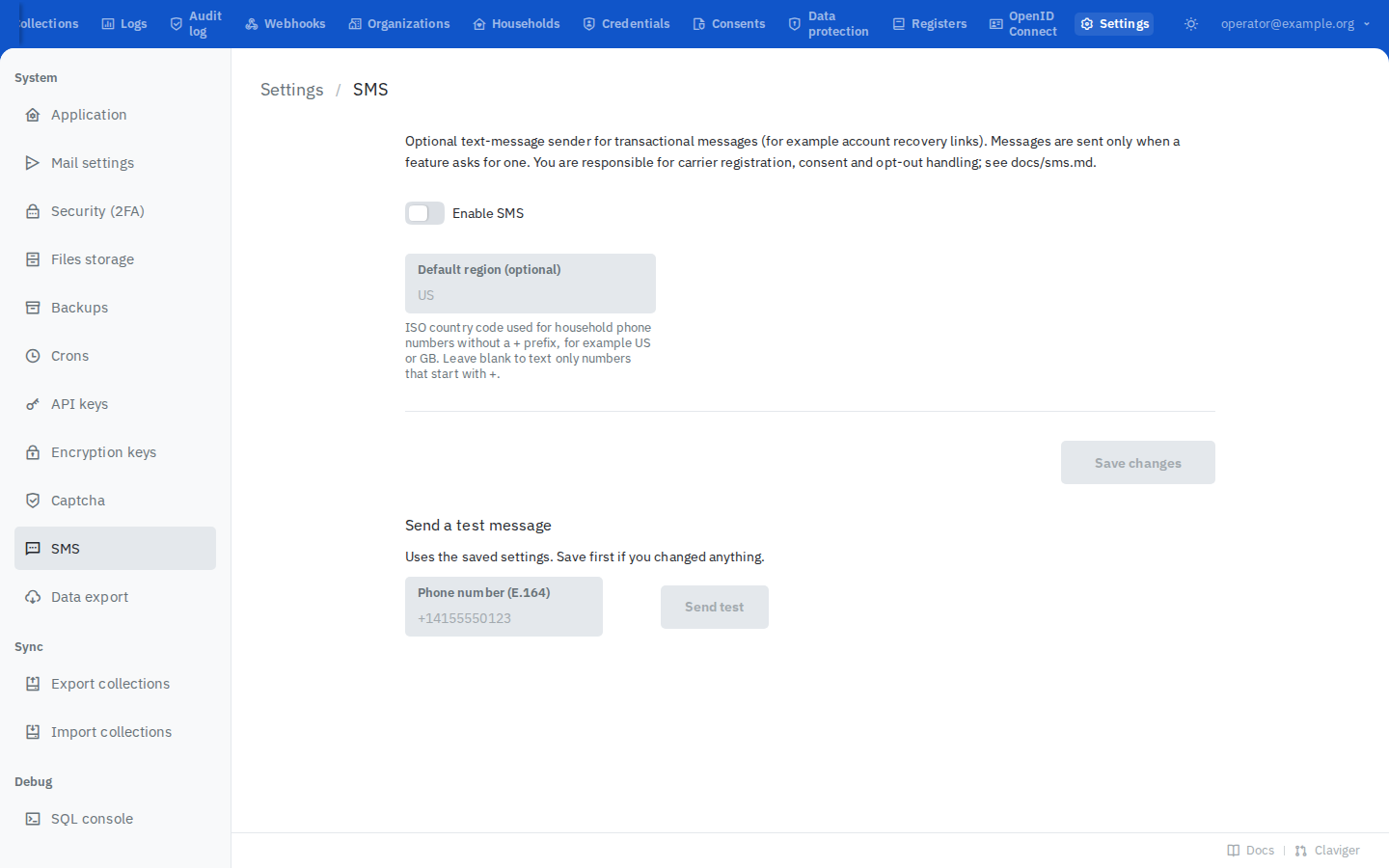
Secrets are write-only. The page never shows a saved secret. Leave the field blank to keep it. Secrets are redacted in the audit log. The save is refused if a required field for the chosen provider is empty.
You can do the same with PATCH /api/settings, in the sms block.
3. Twilio
-
In the Twilio console, copy the Account SID. Copy the Auth Token, or create an API key (an
SK...SID and a secret). -
Buy a number, or create a Messaging Service. Finish the carrier registration for your use.
-
Fill in the fields:
Field Meaning Account SID Starts with AC. Required.Auth token The account token. API key SID, API key secret Optional. Used instead of the auth token. From number (E.164) The sending number, for example +15005550006.Messaging service SID Starts with MG. Use it instead of a from number.
Claviger calls the Twilio Messages API with basic authentication. Error text never holds the credentials, and the recipient number is masked.
4. Generic webhook
Use it for any other gateway. Enter the Endpoint URL (https) and a Signing secret. Plain http is allowed for localhost only.
Claviger sends a POST:
POST https://sms.example.org/send
Content-Type: application/json
X-Claviger-Timestamp: 1700000000
X-Claviger-Signature: v1=<hex>

{"to":"+14155550123","body":"..."}
The signature is the hex HMAC-SHA256 of "<timestamp>." + <raw request body>, keyed with the secret. Your receiver should do three things:
- Recompute the signature over the raw bytes.
- Compare it in constant time.
- Reject timestamps that are too old.
Any 2xx answer counts as sent. Anything else is an error. Redirects are not followed.
5. Region and test
Default region is an ISO country code such as US. Claviger uses it to read a household phone number that has no + prefix. With it empty, such numbers get no text. An unknown code is rejected on save.
The region table is small. It does not check that a number is assigned. A number that starts with 00 is refused. A number that already has a + ignores the region.
To test, save first. Then open Send a test message, enter a Phone number (E.164), and select Send test. The API route is POST /api/settings/test/sms with {"to": "+14155550123"}. It answers 204.
Each test is audited as sms.test. The number is masked to its last two digits, and the text is not stored.
6. Lawyer note
Texting rules differ by country. These points come from the engine documentation. Each needs review by a lawyer:
- In the US, traffic over 10-digit long codes needs 10DLC brand and campaign registration, or a toll-free verification. Unregistered traffic is filtered or blocked.
- Collect and record opt-in consent for each number, and keep the evidence.
- Honor STOP and HELP keywords. Twilio handles standard opt-out keywords on its numbers. A webhook gateway may not.
- Other countries have their own sender registration and consent rules.
- Have counsel review the message wording and how consent is captured.
7. Quick reference card
Turn it on
- Settings, SMS, Enable SMS.
- Pick the provider and fill in its fields.
- Save changes.
- Send test.
Keep in mind
- Secrets are write-only.
- Numbers must be E.164, with a
+. - Set Default region to text numbers without a
+.
This guide is not legal advice. Ask your lawyer before you text people.