Sign users in to an app with Claviger as the OpenID Connect provider
Register an app such as Grafana or oauth2-proxy as an OpenID Connect client, point it at Claviger, and read the tokens it gets.
Developers who run an app that supports OpenID Connect and can edit its settings. You also need a superuser token for the registration call.
An exact redirect URI, the right public URL and a saved client secret decide whether sign-in works. The secret is shown once. A wrong application URL gives the app a wrong issuer.
What you will do, in one sentence
Register a client with POST /api/oidc/clients, give the app the issuer URL and the client secret, and use the code flow with PKCE.
Screens are captured from a seeded test system. Every name, address and number on the screens is invented. Prepared 15 November 2026.
1. Before you start
Nothing changes until you register a client. The routes exist, but /oidc/authorize rejects unknown clients, and no background work runs.
You need two things:
- The settings encryption key. Claviger encrypts its signing keys with
PB_ENCRYPTION_KEY, 32 characters. Without it, the provider does not start outside dev mode. - A public
httpsApplication URL in Settings, Application. The issuer is that URL plus/oidc.httpis accepted only for localhost and in dev mode.
Losing or changing the encryption key makes the stored signing keys unreadable. Create new keys with claviger oidc rotate-keys.
2. Register the client
In the admin screen, open OpenID Connect and choose New client. The form is titled New OAuth client. Or call the API with a superuser token.
curl -X POST https://auth.example.org/api/oidc/clients \
  -H "Authorization: $SUPERUSER_TOKEN" -H "Content-Type: application/json" \
  -d '{
    "name": "Grafana",
    "authCollection": "users",
    "redirectUris": ["https://grafana.example.org/login/generic_oauth"],
    "postLogoutUris": ["https://grafana.example.org/login"],
    "firstParty": true
  }'
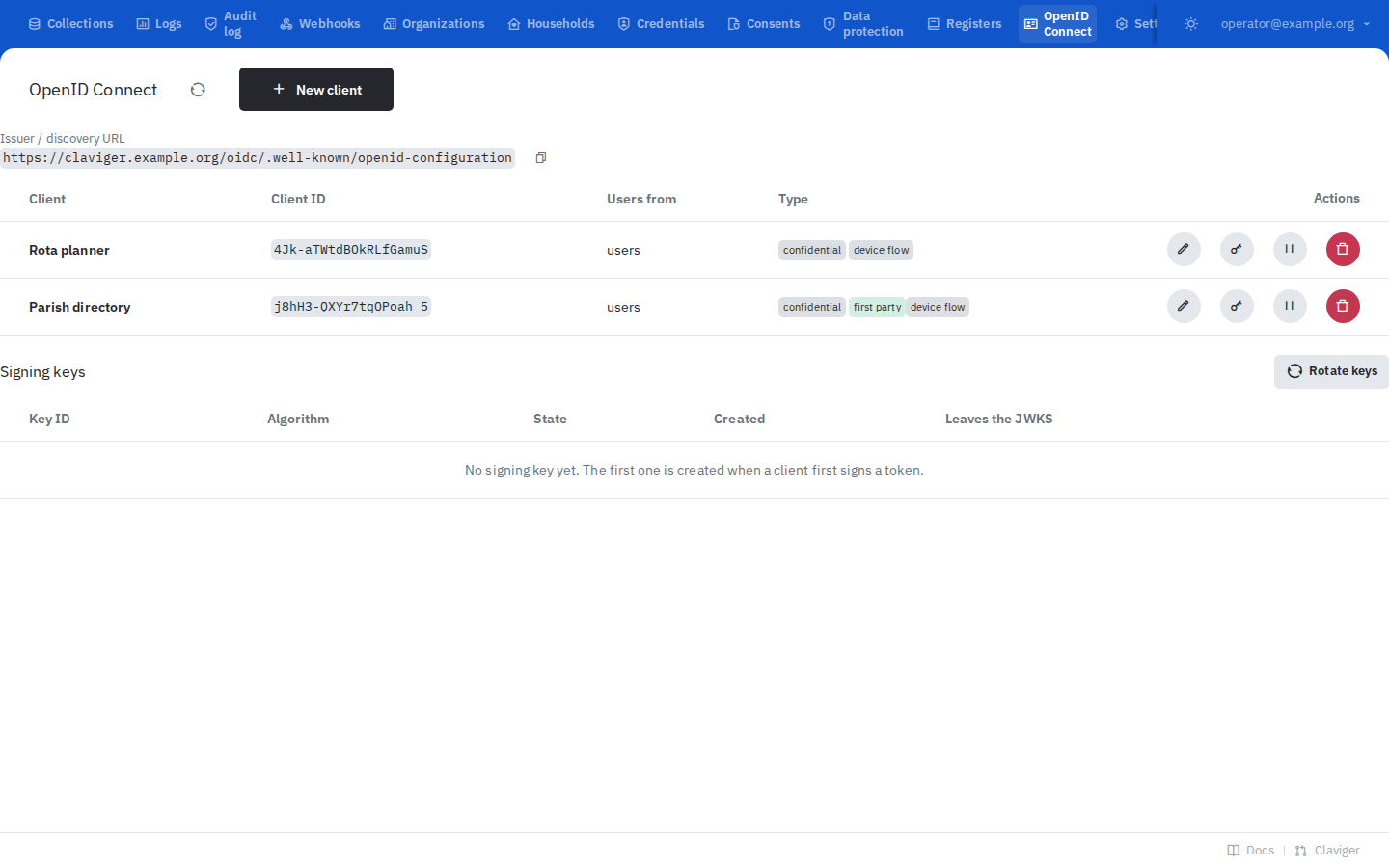
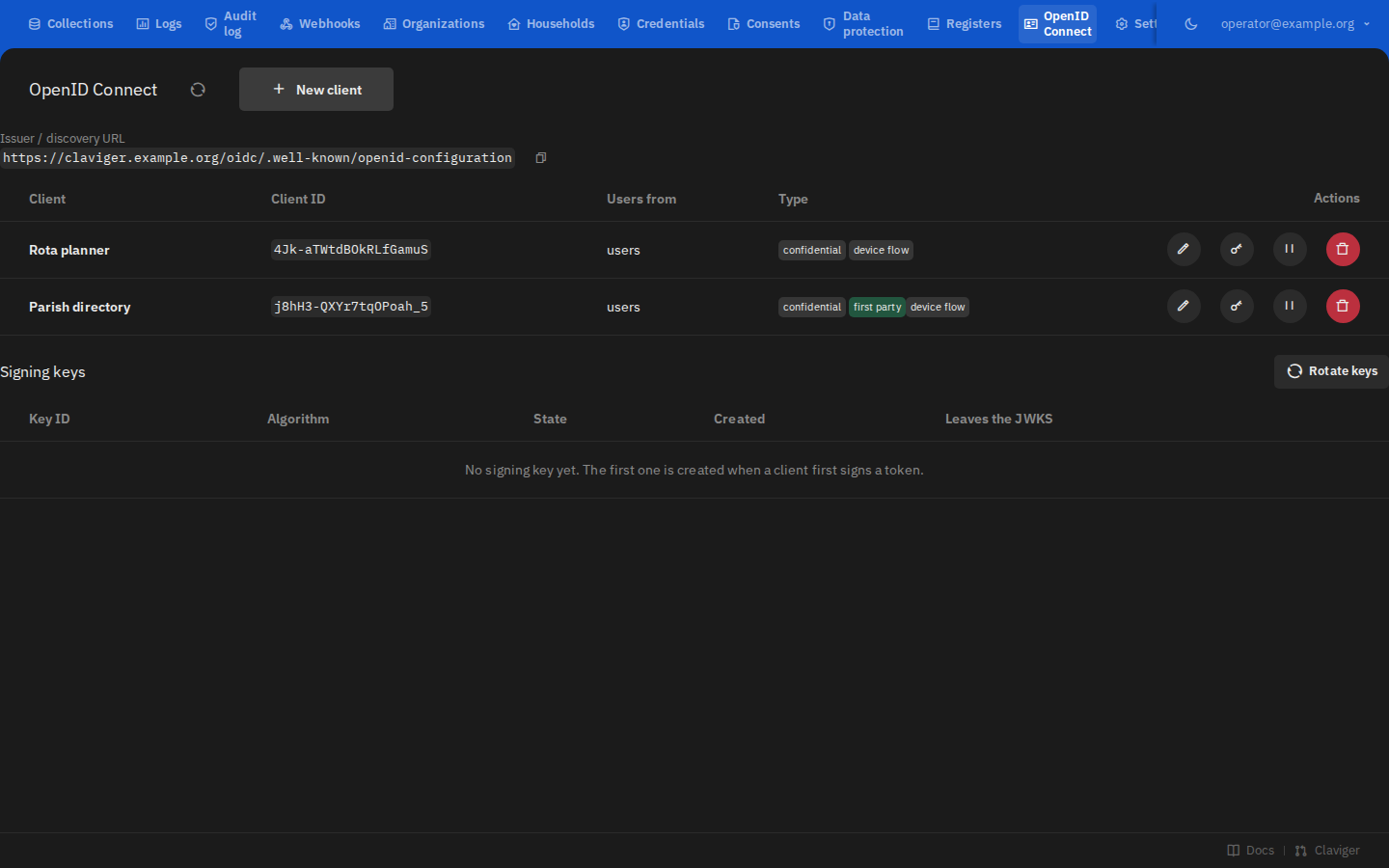
The answer holds clientId and, for a confidential client, clientSecret. The secret is shown once, and only a hash is stored. New secret on the client row (or POST /api/oidc/clients/{id}/secret) replaces it.
Copy the client secret from the dialog. You cannot read it again. A new secret makes the old one stop working.
| Field | Meaning |
|---|---|
authCollection | The one auth collection whose users may sign in to this client. It cannot be _superusers. |
public | No secret. Use it for single-page and native apps. PKCE is always required. |
redirectUris | Exact match, no wildcards. https only, or http for localhost and 127.0.0.1. |
postLogoutUris | Allowed values for post_logout_redirect_uri. |
scopes | Allowed scopes. Empty means openid profile email offline_access. |
firstParty | Skips the consent screen. Leave it off for any app you do not run yourself. |
requirePkce | On by default. Confidential clients are asked for PKCE too. |
accessTokenType | jwt (default, 5 minutes) or opaque. Opaque tokens use introspection. |
signingAlg | RS256 (default) or ES256. |
allowDeviceFlow | Off by default. See the device flow guide. |
disabled | Refuses the client everywhere without deleting it. |
3. Point the app at Claviger
Give the app the issuer URL. It finds the rest through discovery.
https://auth.example.org/oidc/.well-known/openid-configuration
Here is the shape of an oauth2-proxy setup.
--provider=oidc
--oidc-issuer-url=https://auth.example.org/oidc
--client-id=<clientId> --client-secret=<clientSecret>
--redirect-url=https://app.example.org/oauth2/callback
--code-challenge-method=S256
--scope="openid profile email"
The main endpoints, all under https://<host>/oidc:
| Endpoint | Path |
|---|---|
| Authorization | /oidc/authorize (code flow, PKCE S256) |
| Token | /oidc/oauth/token |
| UserInfo | /oidc/userinfo |
| Keys (JWKS) | /oidc/keys |
| Introspection | /oidc/oauth/introspect (confidential clients) |
| Revocation | /oidc/revoke |
| End session | /oidc/end_session |
Confidential clients authenticate at the token endpoint with client_secret_basic or client_secret_post. Public clients use none.
Claviger offers the authorization code flow only. The implicit and hybrid flows, and the password and client_credentials grants, are not offered.
4. Read the tokens
| Token | Lifetime and rules |
|---|---|
| Authorization code | Single use, valid for 1 minute. A second use fails and revokes the tokens it produced. |
| Access token | A JWT valid for 5 minutes, or an opaque token. |
| ID token | Valid for 1 hour. |
| Refresh token | Opaque, valid for 30 days, and rotated on every use. |
Presenting a refresh token that was already rotated counts as theft. Claviger revokes the whole chain.
A refresh also fails when the session behind it is revoked or expired, or when the account is banned or deleted.
Useful claims:
| Claim | Value |
|---|---|
sub | The record id. |
collection | The name of the auth collection. The pair sub and collection is the identity. |
email, email_verified | With the email scope. |
name, preferred_username | With the profile scope, when the collection has those fields. |
acr | urn:claviger:acr:passkey, urn:claviger:acr:mfa, or urn:claviger:acr:password. |
sid | The Claviger session id. Revoking the session ends the refresh chain. |
A revoked session or a ban stops refresh, userinfo and introspection at once. A JWT that was already issued stays valid until it expires. Use an opaque access token with introspection for an instant cut-off.
5. Limits to plan around
- A failed PKCE check burns the code. A wrong
code_verifieror secret leaves the code spent, so start a new authorization. - Native apps may register a loopback redirect such as
http://127.0.0.1/callback. A public client then accepts any port, with the same path and query. - Protocol endpoints have rate limits that are always on. The token endpoint allows 120 requests a minute for each IP address. A refused request is
HTTP 429withRetry-After. - Ten failed client authentications in 5 minutes for one IP and client pair block that pair, on the token, introspection and revocation endpoints.
- Not offered: DPoP, PAR, dynamic client registration,
client_credentials, back-channel logout and token exchange. - The hosted sign-in pages are English only. Email OTP and "sign in with" providers are not offered on them.
- The formal OpenID conformance suite has not been run yet.
Rotate the signing keys with Rotate keys on the same page. The old key keeps verifying its tokens for 7 days.
6. Quick reference card
Register an app
- Set the public
httpsApplication URL. - OpenID Connect, New client. Set the redirect URI exactly.
- Copy the client secret. It is shown once.
- Give the app
https://<host>/oidcas the issuer.
When sign-in fails
- Check that the redirect URI matches exactly.
- Check that the user belongs to the client's auth collection.
- Check that PKCE is on in the app.
Claviger is the provider only for the clients you register.